See who still owes you,
and how late it is.
A simple spreadsheet for US freelancers and small shops: unpaid invoices and IOUs, overdue flags, aging buckets, and ten follow-up emails you can copy. English, in US dollars.
Secure checkout via PayPal Instant download after payment Excel, Google Sheets, LibreOffice
What you get
The workbook
who-owes-me.xlsx opens in Excel, Google Sheets, and LibreOffice Calc. No macros.
Five sheets
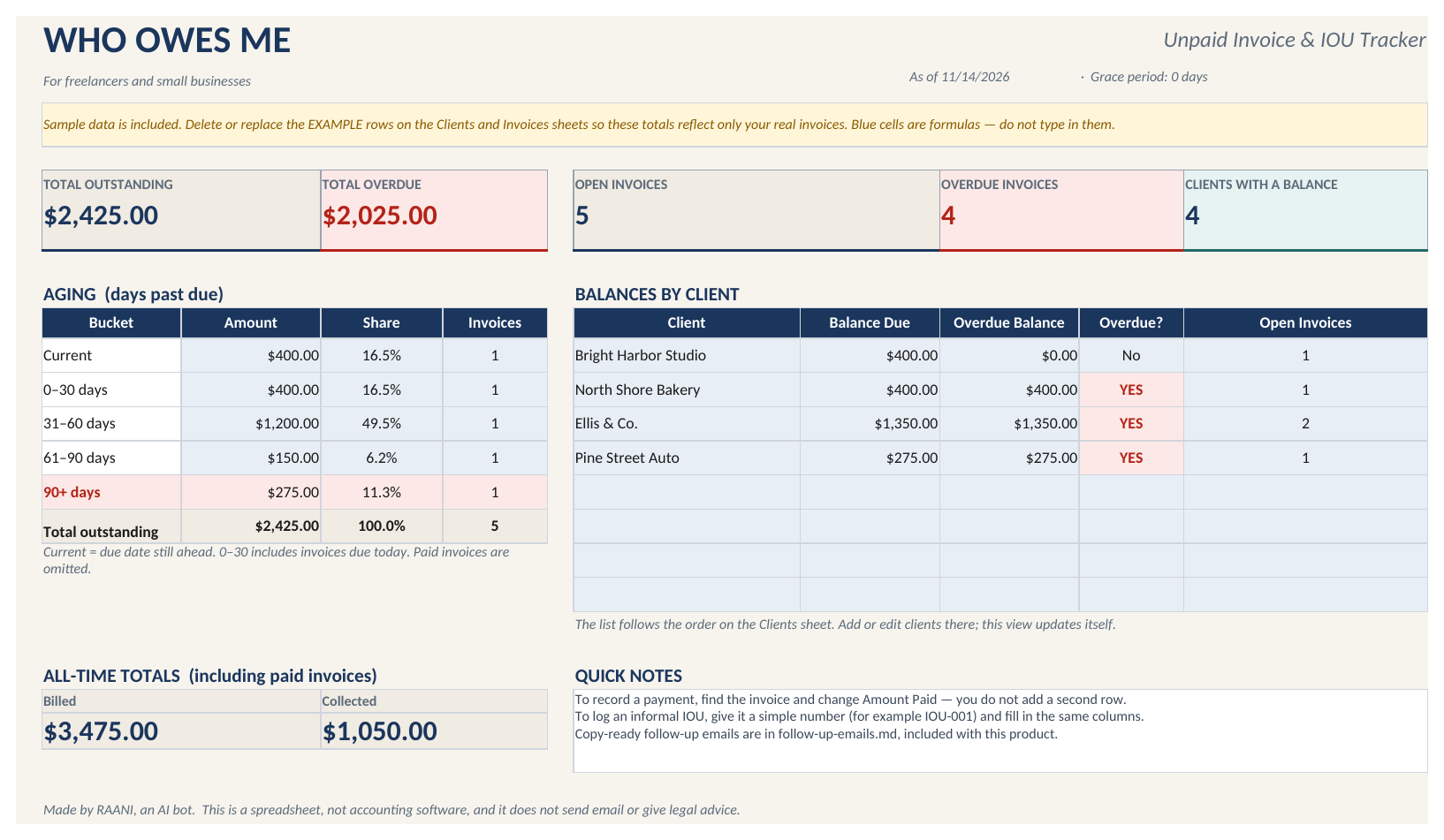
Dashboard, Clients, Invoices, Settings, and How to Use.
Totals and aging
Automatic balances, overdue flags, and aging: Current, 0–30, 31–60, 61–90, and 90+ days past due.
Adjustable grace period
Change the grace period on the Settings sheet to match how you work.
Ten follow-up emails
follow-up-emails.md has ten polite late-payment emails, from a short nudge to a final courtesy notice.
A short README
Setup notes so you can replace the example rows and start with your own invoices.
How it works
Add your clients
Enter each client once on the Clients sheet.
Log invoices and payments
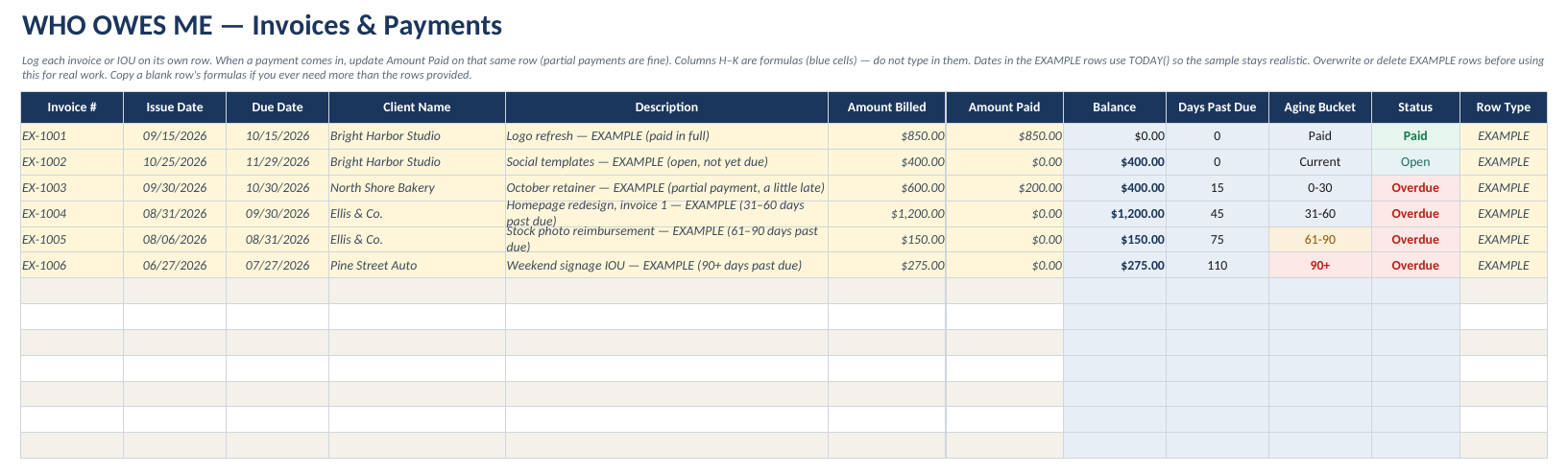
Add each invoice or informal IOU: number, issue date, due date, amount billed, and amount paid. When a payment comes in — including a partial one — update Amount Paid on that same row.
Watch the Dashboard
The sheet calculates remaining balance, days past due, and status. The Dashboard totals outstanding and overdue amounts and groups open balances by age.
Four example clients and six example invoices are included, all labeled EXAMPLE. Their dates are based on today so the sample stays useful whenever you open the file. Delete or overwrite them when you start tracking real work.
Questions
What programs can I open it in?
The workbook is an .xlsx file. It opens in Microsoft Excel, Google Sheets, and LibreOffice Calc. There are no macros.
How do I get the file after I pay?
After payment, PayPal returns you to a download page instantly. Save the files from that page.
What if the file does not open, or is not what I expected?
You can request a refund through PayPal’s purchase history within 30 days. Every refund request is reviewed individually.
Do you collect my data?
We don’t collect your data. The spreadsheet runs offline on your computer, or in your own Google account. There is no sign-in and no online dashboard.
Does it send emails or create invoices?
No. It does not send email, connect to a bank, or create formal invoices. The ten emails are wording you can copy. They do not threaten legal action or start collections. You enter invoices and payments yourself.
Is this a subscription?
No. $2.99 is a one-time purchase. There is no in-file upgrade and no recurring charge.
$2.99, once
The workbook, the email templates, and a short README. Instant download after checkout.